Lightweight Holo download manager for older Android devices
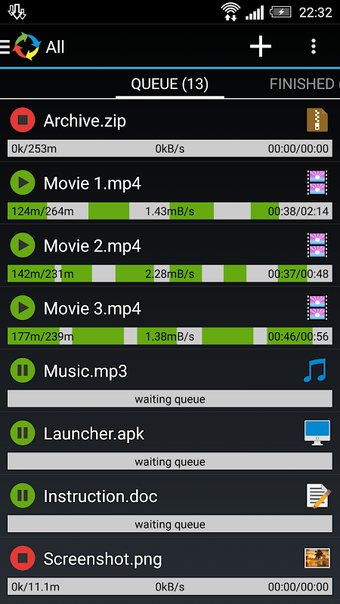
Accelerate large downloads by splitting files into multiple parts and running up to three transfers at once, using Advanced Download Manager Holo on Android. Developed by Albert, this utilities-tool preserves the classic Holo interface while offering multithreaded downloading, background notifications, and an integrated browser. It targets owners of older devices and anyone who needs a standalone, low-overhead download manager that can resume interrupted transfers and schedule activity on-device.
What does ADM Holo actually do?
ADM Holo performs file downloads with a focus on speed and control: it splits a single file into up to nine parts for multithreaded transfer, supports simultaneous downloads of three files, and intercepts links from browsers and the clipboard. The app also includes an integrated ADM Browser with multiple tabs and history, and offers folder rules so images, documents, and archives land in specified directories.
Does it slow down your system during a scan or transfer?
The app is designed for older hardware, so its Holo interface tends to be lighter on resources than modern Material Design alternatives. Background downloading runs with system tray notifications and a turbo mode that targets mobile networks (2G, 3G, 4G). These design choices indicate the app keeps activity confined to the download service rather than forcing constant foreground use on the device.
Is it safe to use and does it protect downloads?
ADM Holo implements a resumption algorithm that lets interrupted transfers continue after connection errors or pauses, which reduces the need to restart large downloads. It installs as a standalone package and does not overwrite the main ADM application, so it avoids direct interference with an existing download manager. The app does not support downloading from YouTube, aligning with platform content restrictions.
Practical pick for legacy-device owners who need reliable downloads
The app suits users who run older Android builds or prefer a classic interface and need reliable resumption and multithreaded transfers. Expect a focused tool that keeps download operations separate from the primary ADM app and conserves UI resources on older hardware. One caveat: it omits certain content sources by design, so it is not a universal media grabber.